New features and improvements to the Department of Product platform, newest first.
Thought Canvas: playbooks, and your roadmap on the board
The Next step guide on a Thought Canvas now follows a playbook. Alongside Make a decision, which is still the default, there are six more: Pressure-test a plan, Plan the next quarter, Discovery, Respond to a market move, Write a strategy and Prioritise a backlog. Each one takes you step by step to a finished output you can export as Word or PDF.
You can switch playbook at any point. The evidence, options and frameworks already on the board count towards the new one, and switching back picks up where you left off.
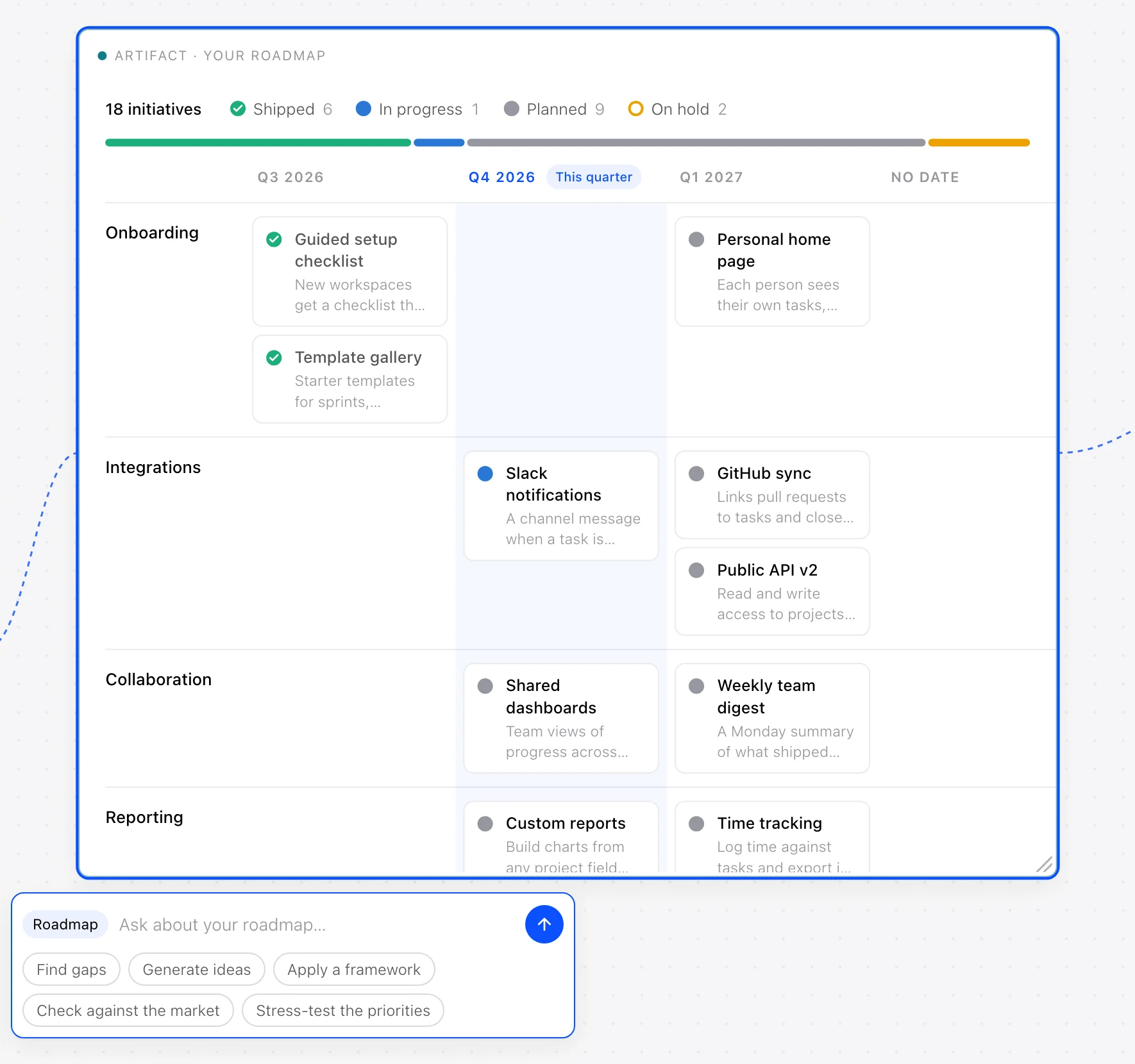
Put your roadmap on the board, drawn just as it is in Settings → My Company → Roadmap, then ask about it: find gaps, generate ideas, apply a framework, check it against your market or stress-test its priorities. Colleagues only see the roadmap if they are allowed to see it in Settings.
Improvements
Collapse the Next step guide to a single line once a canvas is under way.
The Thought Partner and Thought Canvas know your market, so a question about “our market” draws on those companies first.
With Your market set up, the Companies page has two tabs: Your market and Product leaders.
Live boards keep every change when colleagues are editing at the same time.
Your market: the companies that matter most to your team
Each workspace now has its own market: the companies your team most wants to learn from, followed alongside everyone in Product Intelligence. They can be companies we already follow, or ones only your team cares about, which stay private to your workspace.
Their launches, features and decisions appear in Signals behind a Your market switch and on their own company pages, each written up for what it means for your team. The assistant and Deep Research know your market too, so questions about it draw on the same signals.
We set your market up with you: tell us the companies and what you want to learn from them, and you can see the list in Settings → Your market.
Improvements
Simpler navigation: each section in the sidebar opens to its own pages, and the Strategy Workspace is split into Thought Partner, Thought Canvas, Decisions and Library.
A notice tells you when a new version of the platform is available, with a button to refresh.
The voice assistant knows your company profile and, if you can see it, your roadmap.
Briefing emails link the cells in their tables straight to the sources behind them.
Thought Canvas: work a decision through on one canvas
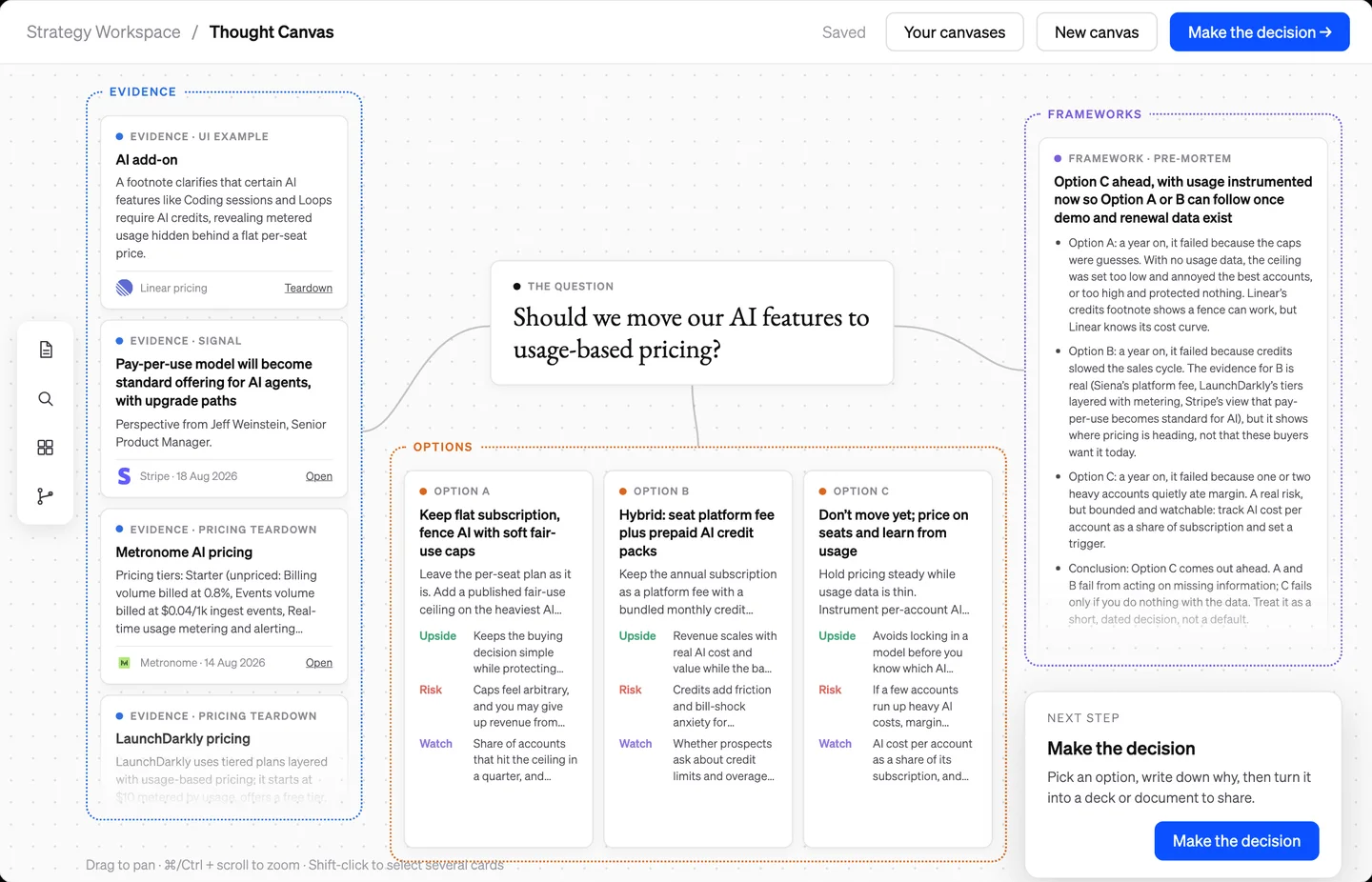
A new home for big decisions in the Strategy Workspace. Put the question in the middle and build the case around it: evidence from Product Intelligence on one side, the realistic options below, each with its upside, risk and what to watch, and a framework such as a pre-mortem or RICE run over them on the other. A Next step guide takes you from question to decision, and you can ask about any cards you select.
When you have decided, record which option and why, and the whole canvas becomes a PowerPoint deck, a Word document or a PDF to share.
Boards can be shared with colleagues or the whole workspace, and you work on them together live: you see who else is on the board, their pointers, and their changes as they make them.
Improvements
Every canvas saves as you work and has its own address, and your canvases are listed in one place, searchable across questions, decisions and cards.
Export a whole board as Word, PDF or an image.
Draw on the board with a pen in six colours, with undo.
Notes go exactly where you click, in a choice of colours.
Add an option from a menu: a new one, a contrarian or cheaper version, two combined, or your own.
Department of Product in Claude and ChatGPT
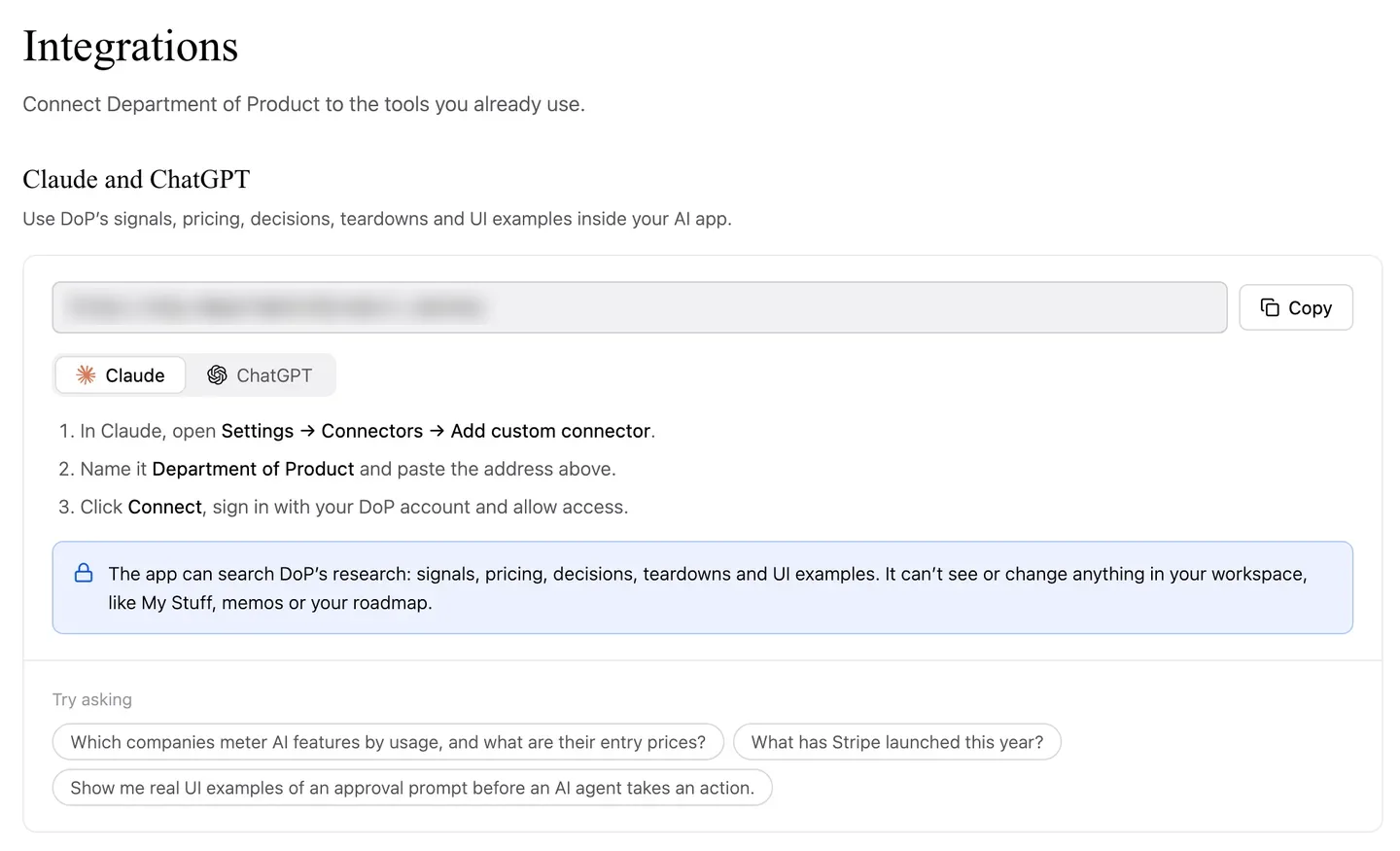
Connect Claude or ChatGPT to Department of Product and ask about what leading product teams are doing without leaving the assistant you already use. The connection gives it five tools: search across every signal, teardown, company profile and strategic decision; list every signal for the companies, signal types and dates you choose; structured pricing from real pricing pages, including how each company charges for AI; strategic decisions by category; and real UI examples from the teardowns.
UI examples come back as images, and in Claude they open as a gallery right in the conversation.
Settings → Integrations has the server address, steps for each app and example questions to copy. A connected app reads Department of Product’s research only, never your workspace’s own data. Every app you have connected is listed there with when it was last used, and you can disconnect it at any time.
Product page teardowns
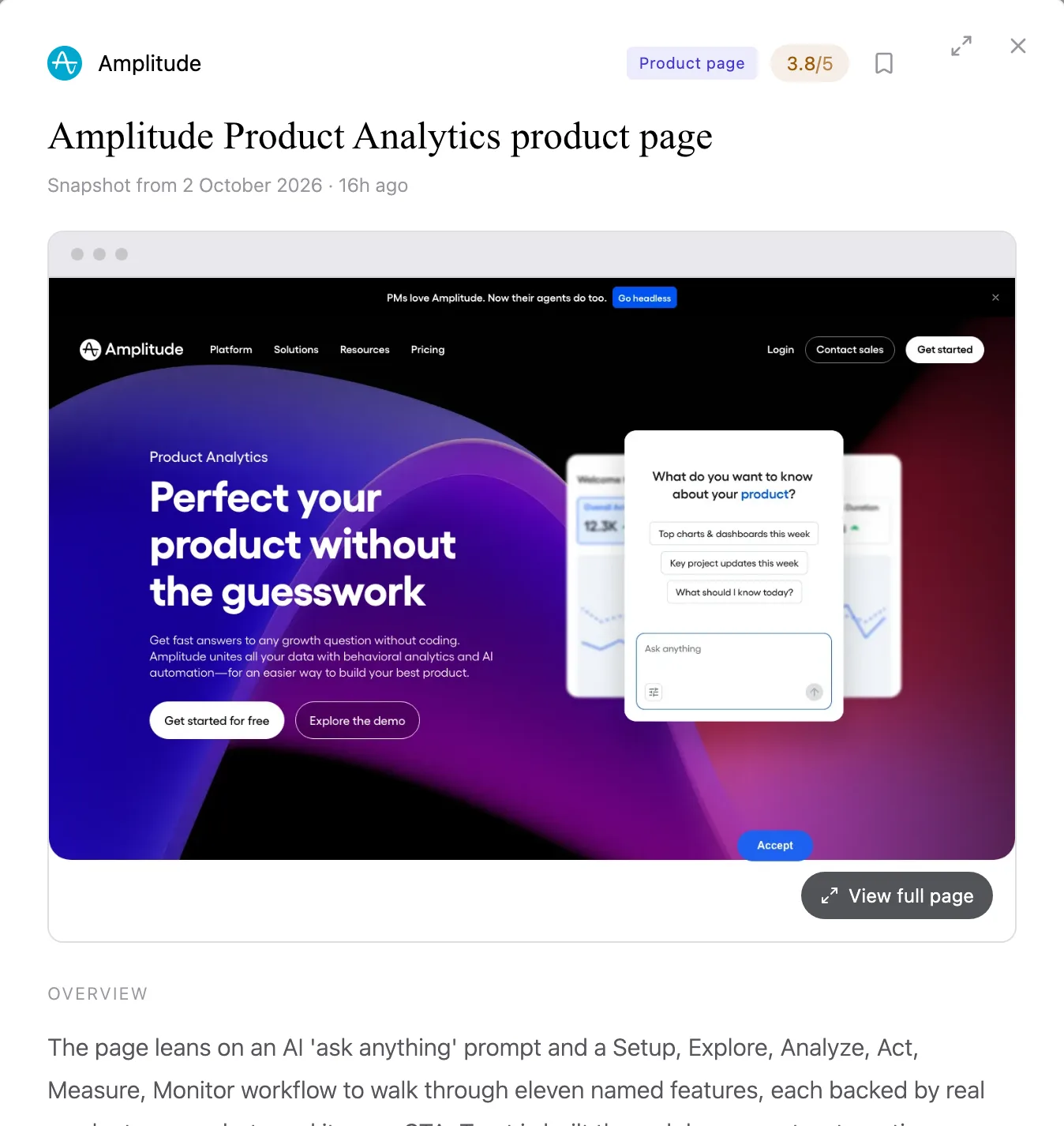
A fourth kind of UX teardown: 113 flagship product pages, each scored against a rubric written for product pages, covering how well a page answers objections, how clear the path to trying the product is and how specific its proof is. Every page is broken into its UI components, kept by version, and searchable alongside homepages, pricing pages and feature teardowns.
Capture your own product page in My Company to see it scored the same way.
UI examples in Deep Research reports
Deep Research reports now include the UI examples behind the teardowns they cite, placed under the paragraph that cites them. They carry through to Word and PDF exports and to briefing emails.
Improvements
Small UI examples are sharper, with a toggle to see the original capture.
Sort UX teardowns by most recent.
UX Teardowns shows how many UI components the library holds, beside the teardown count.
View links on the Overview open Signals already filtered.
Search that shows you the interface
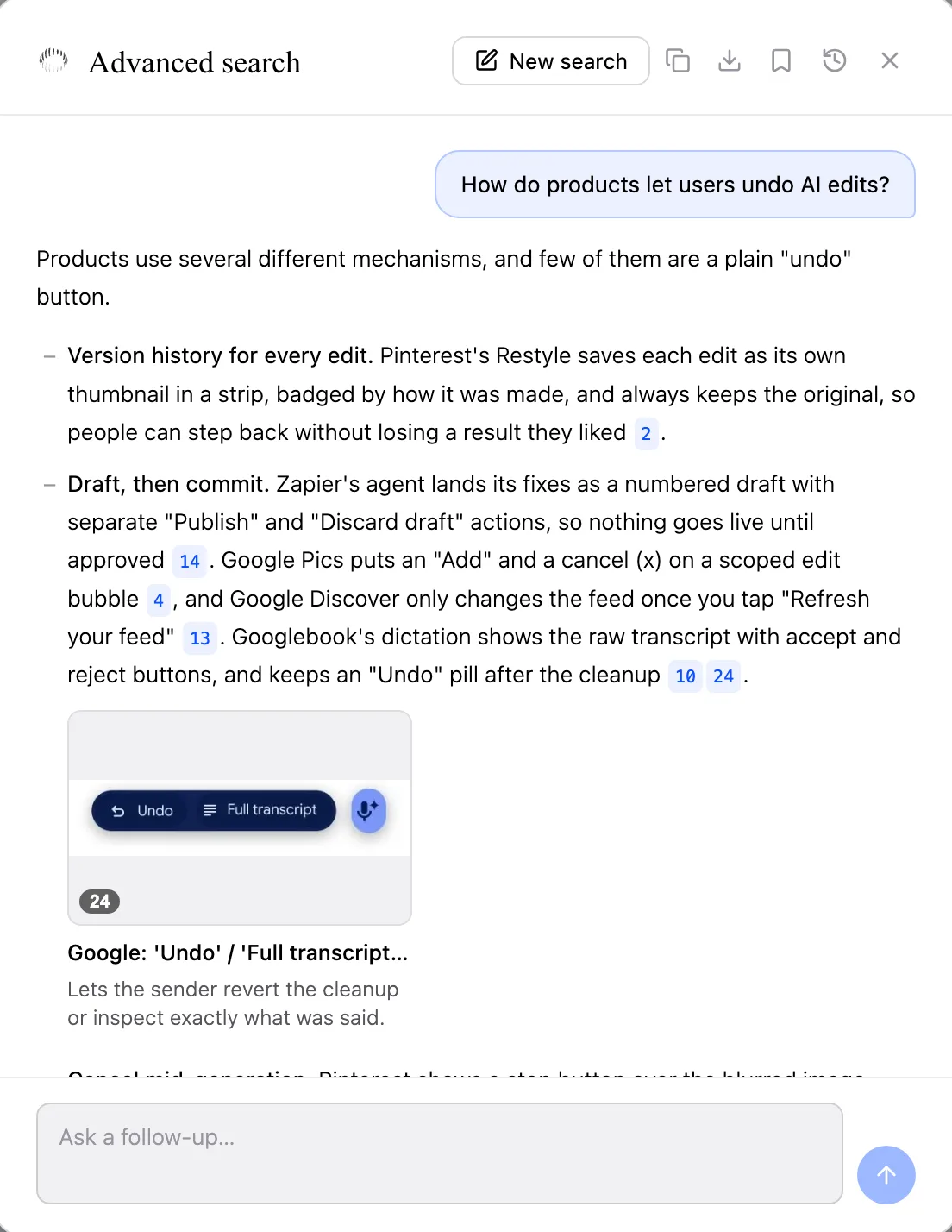
Ask a design question across the homepage, pricing and AI feature teardowns and the answer now arrives with real UI examples, cropped from the pages themselves and placed right beside the point they illustrate. Click any example to see it full size.
The search assistant does the same whenever a question asks for examples, and Word and PDF exports keep them in place.
Improvements
Advanced search is now a conversation, so you can ask follow-up questions.
Suggested questions to start from in Advanced search.
Questions about your own homepage and pricing page are answered from your company’s capture.
Cmd+K matches a company name as well as a title.
169 new feature teardowns, and teardowns over time
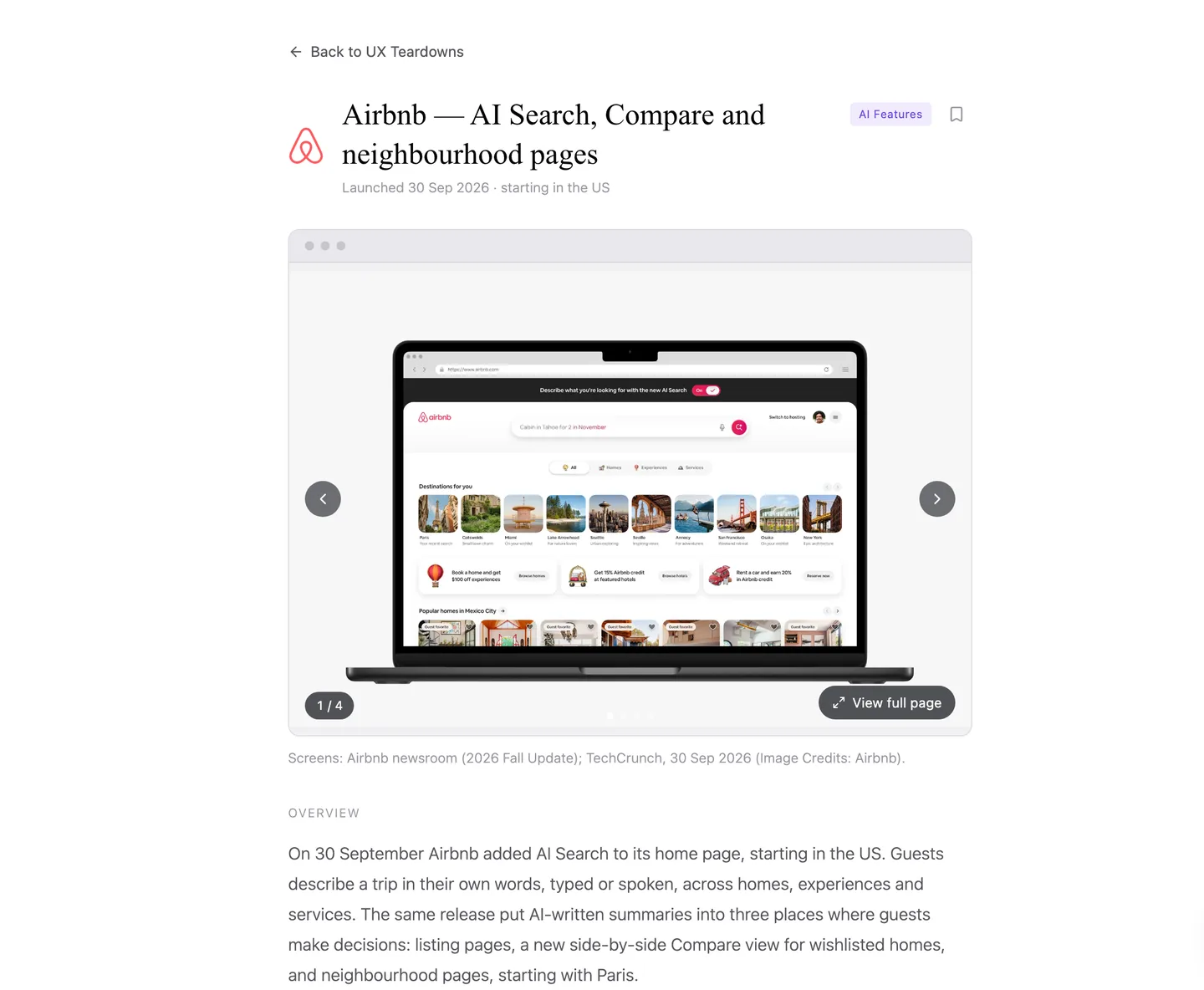
169 new teardowns of AI features, feature launches, search and onboarding take the library past 500. AI feature teardowns walk through the flow component by component and finish with the principles worth taking away.
Homepage and pricing teardowns are now dated. Each capture is kept, so you can pick a version and see how a page has changed. Every pricing teardown was re-checked against its capture and corrected where it needed to be.
Improvements
Search covers every feature teardown category.
Pricing teardowns show the individual UI components each page is built from.
Share from My Stuff
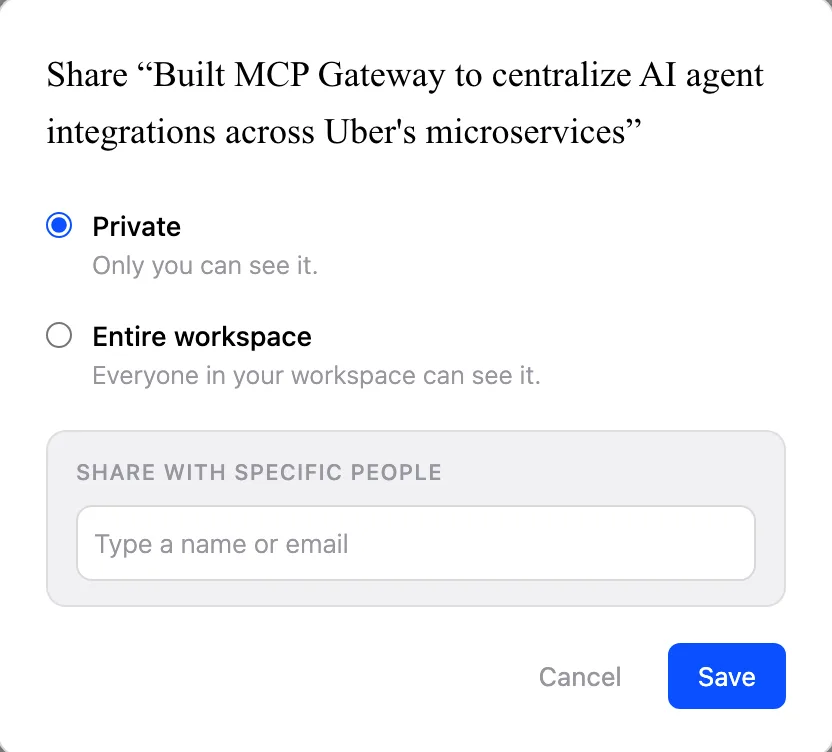
Saved items and folders can now be shared privately with named colleagues or with the whole workspace. A shared folder shares whatever is filed into it later. Colleagues find everything under “Shared with me”, open it read-only and can save a copy of their own.
Improvements
UX scans and company captures keep running when you leave the page, and show their progress when you come back.
Delete a homepage or pricing capture from My Company.
Thought Partner modes, and richer product profiles
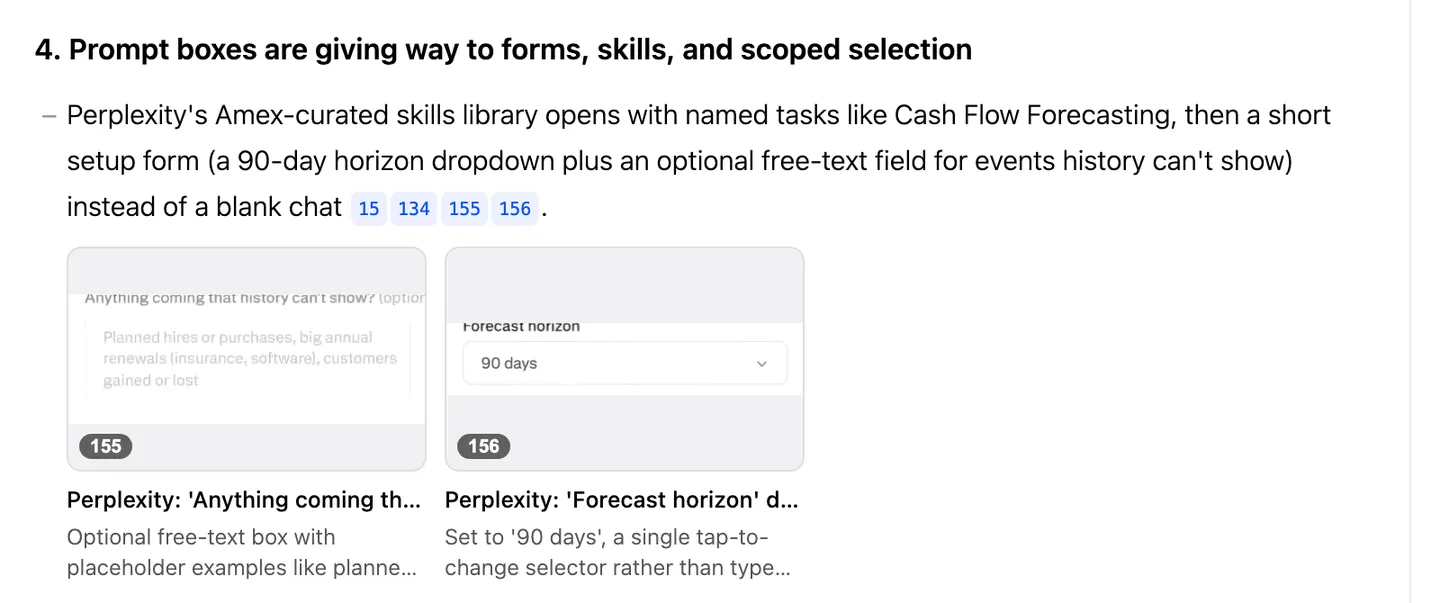
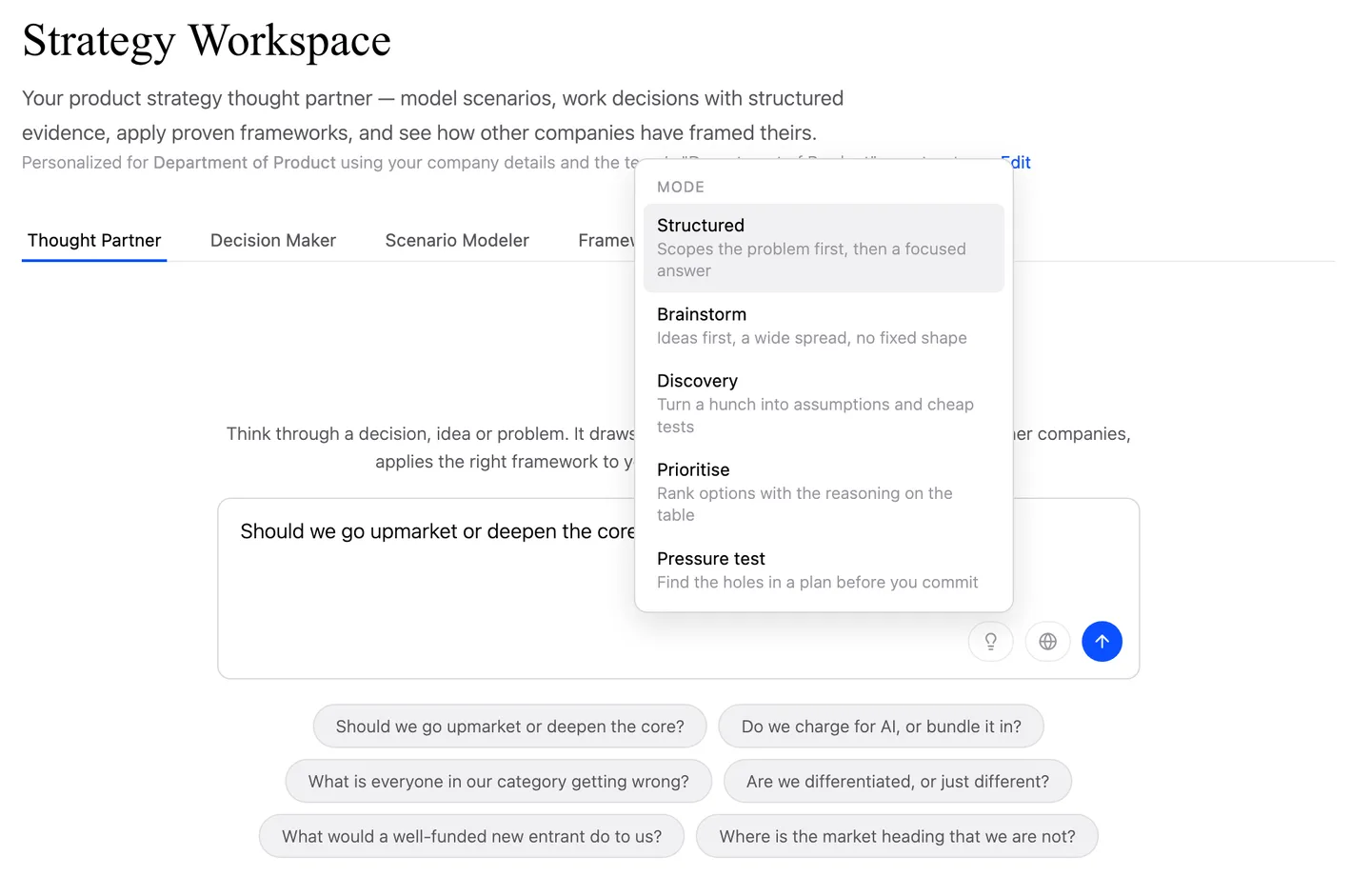
Choose how the Thought Partner works with you: Structured, Brainstorm, Discovery, Prioritise or Pressure test. Structured stays the default. You can also upload files into a conversation.
Each of your products now has a full profile: a summary, its stage, who it is for, the job it does, its capabilities, how it is sold and your own notes on how it is going. “Rescan website” drafts profiles from your own pages for you to review. Jobs to be done are captured as a set of jobs rather than a single line.
Your roadmap as context
Add your product roadmap in Settings → My Company → Roadmap: upload a file (PDF, Word, PowerPoint, Excel or CSV), or paste or type it in. It is read into initiatives you review before saving, with board and list views and a When picker for quarters, months or buckets.
The assistant, Deep Research and the Thought Partner take the roadmap into account, but only for people allowed to see it. Admins choose who can view and edit it in Settings → Members.
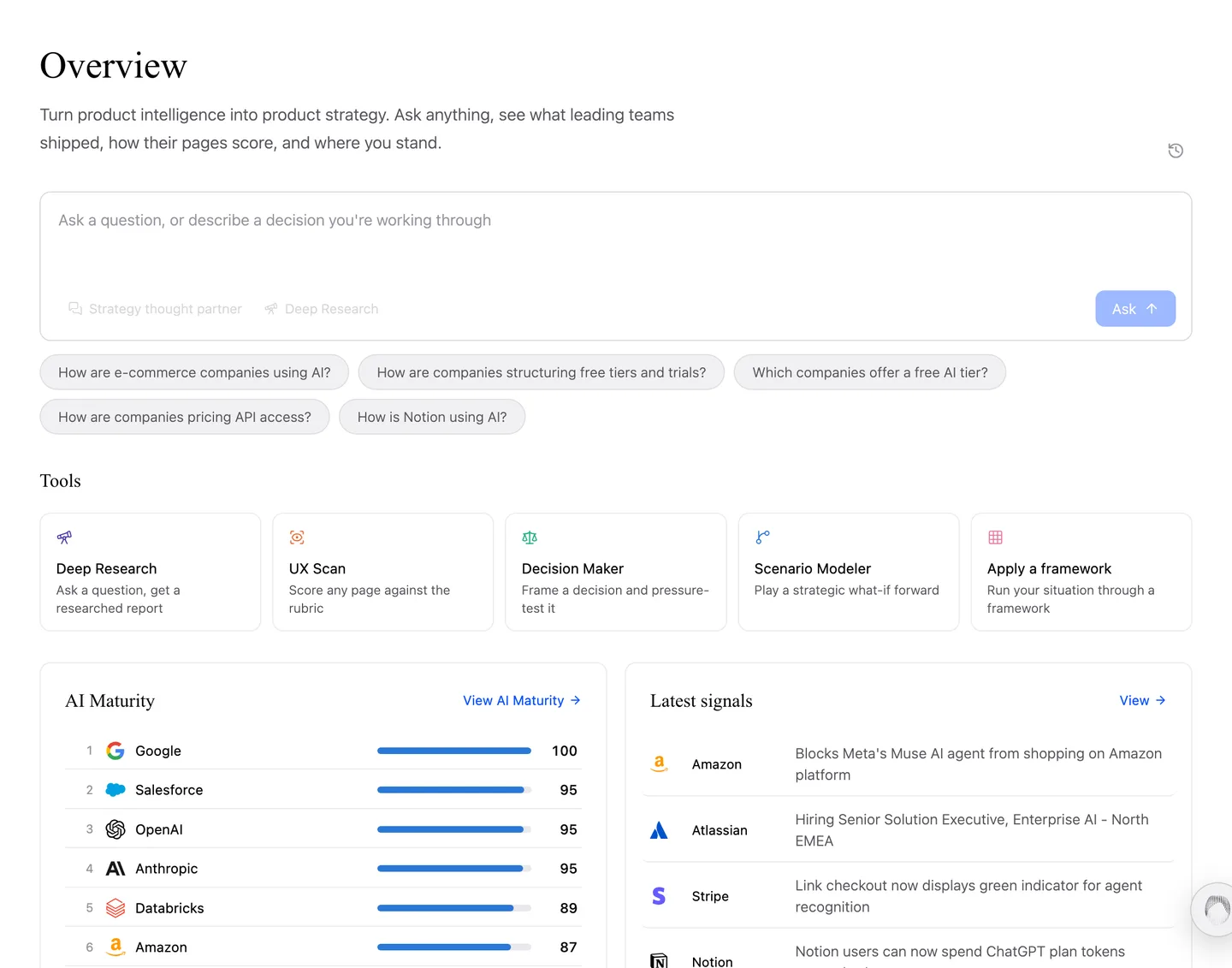
A new Overview
The Overview now opens with a single ask box. Type a question and send it to the assistant, Deep Research or the Thought Partner, whichever suits it. Below sit your five latest signals, a row of perspectives, a scrolling row of teardowns, and suggested questions that answer from your own company.
Improvements
Reach your chat history from the Overview.
Quizzes are now called knowledge packs.
The Decision Tracker opens on the table view.
Relative dates in signal write-ups, like “last week”, are anchored to when the item was published.
Briefings: Deep Research on a schedule
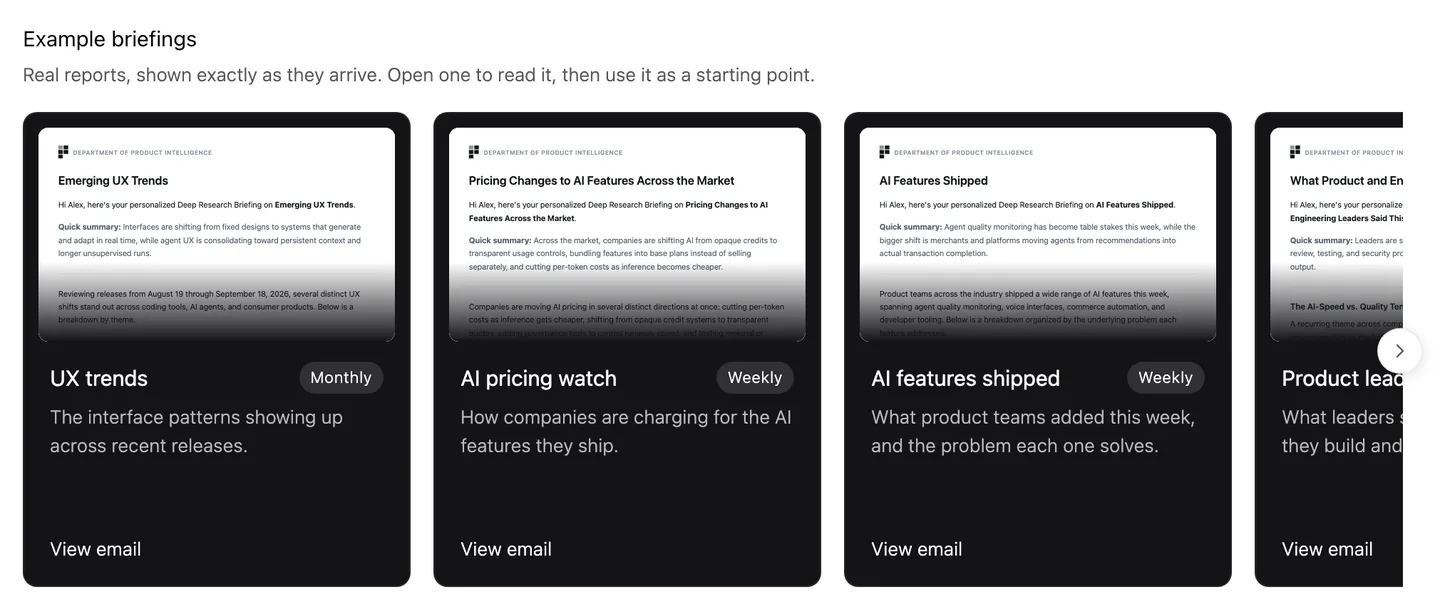
Set a research prompt to run weekly, fortnightly or monthly and arrive in your team’s inboxes as a briefing. Briefings live in a new tab in Deep Research, with a gallery of example briefings to start from.
Improvements
Deep Research keeps running when you leave the page.
Deep Research tailors a report to your company when the question asks for it.
A Stop button for Deep Research runs.
Research history loads 20 at a time, with Show more.
UX Scan: a designer’s read
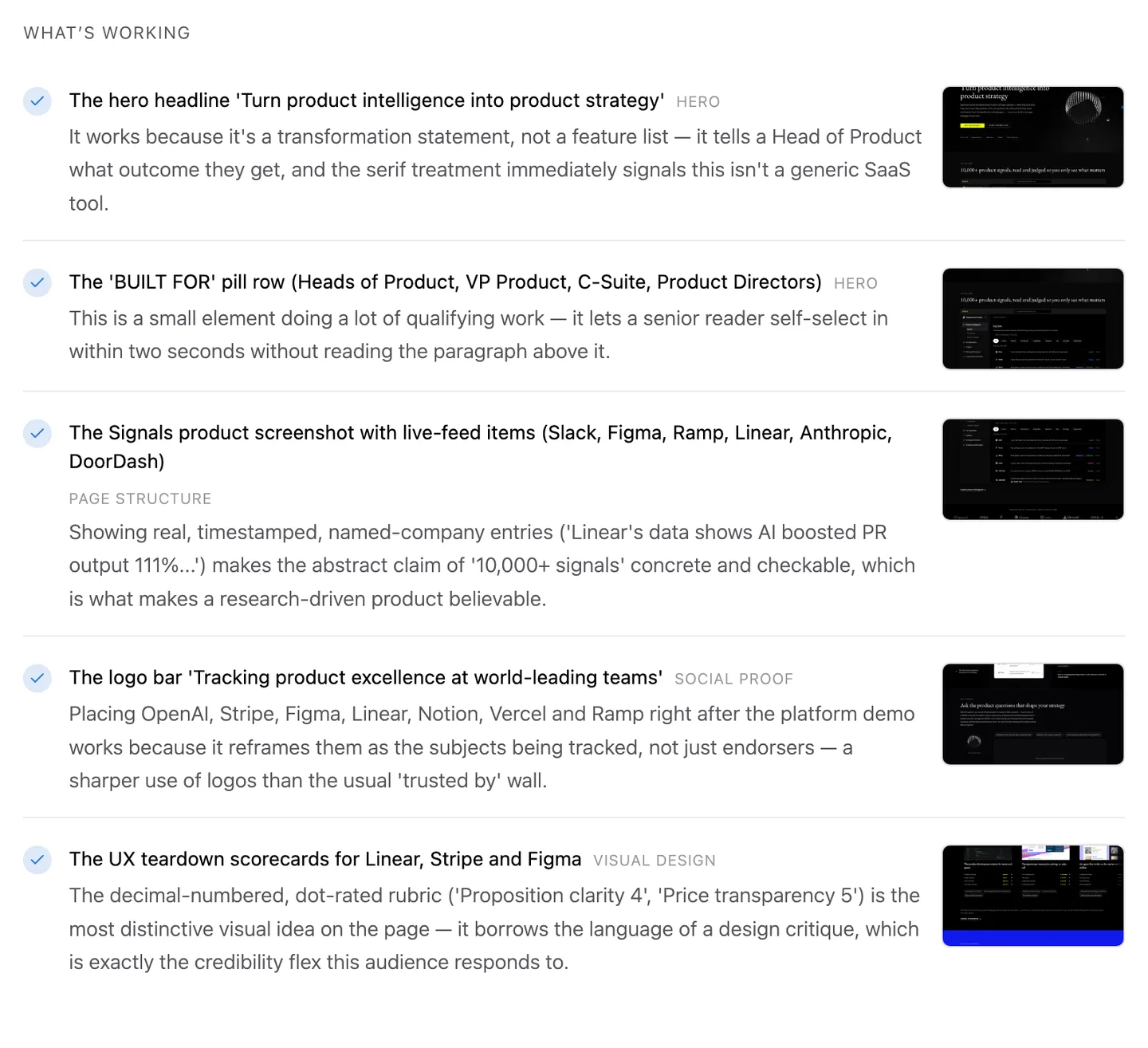
Homepage scans now come with a senior designer’s read of the page: a verdict, what is working and what is not (each pinned to the part of the page it refers to), what to do next with an effort estimate, and KPIs with an experiment for each.
Improvements
UX scores are out of 5 everywhere.
Sort and filter UX teardowns by score.
Scan a bare domain without typing the full URL, and more pages scan successfully.
Org charts, and an assistant that knows your role
Everyone in a workspace can now mark where they sit on the org chart, straight from the canvas. Admins edit the workspace org, and a read-only Manual view lets everyone else see it without changing it.
The search assistant now knows your team and role, and the Thought Partner shows its reasoning as it works. The Decision Maker has a “Help me decide” button to get to a recommendation faster.